

Live chat for your website, answered from Telegram
A visitor writes in the chat window on your site, the question lands in your Telegram group as a separate topic, and your reply from that topic shows up in their window within seconds. One line of code, no developer needed.
Free. Your whole team answers, with no per-agent fee.
Safe and lawful: we follow the Russian personal data law (152-FZ), the databases are kept in Russia, conversations travel over an encrypted connection, keys and tokens are stored encrypted.
What it really looks like
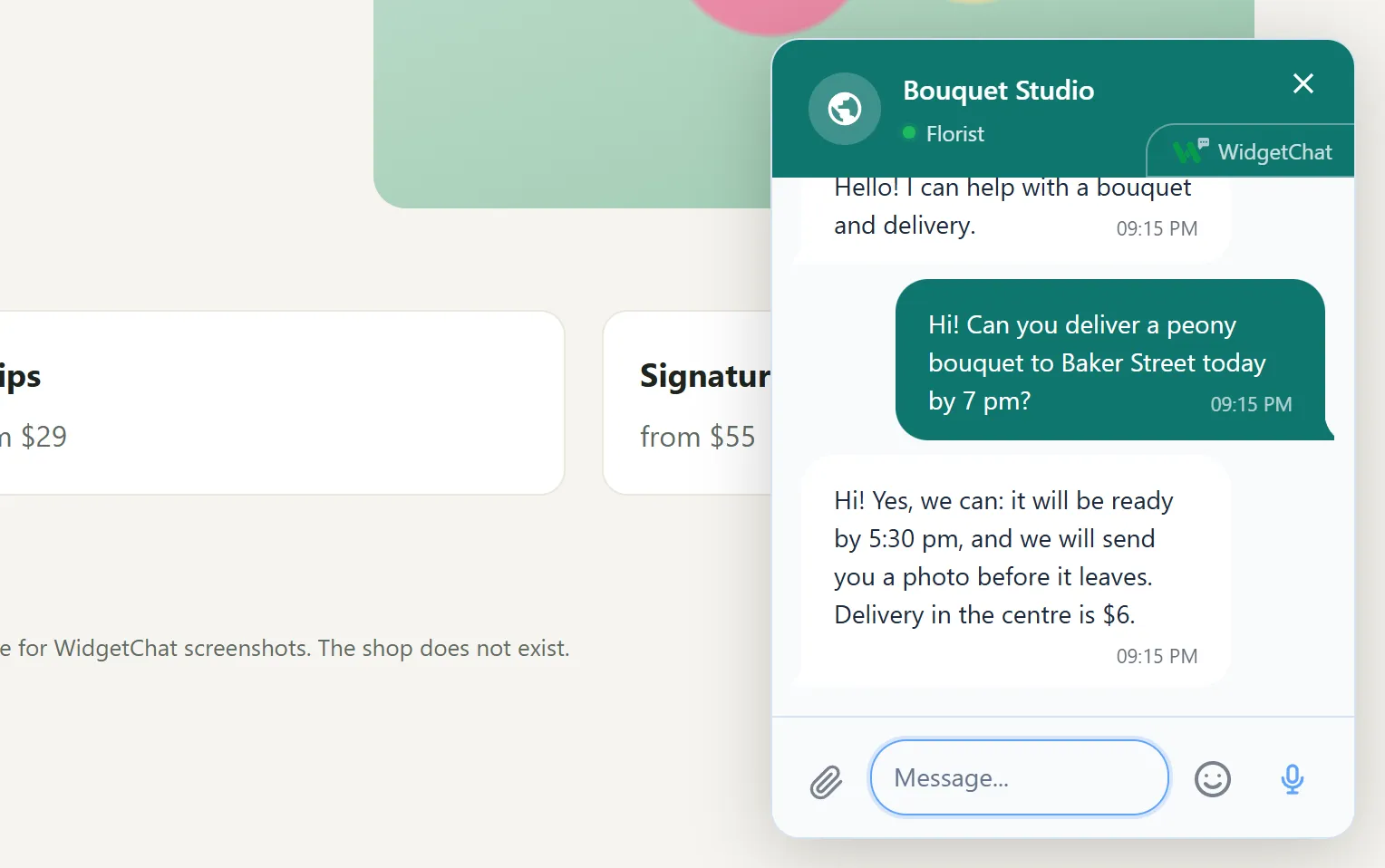
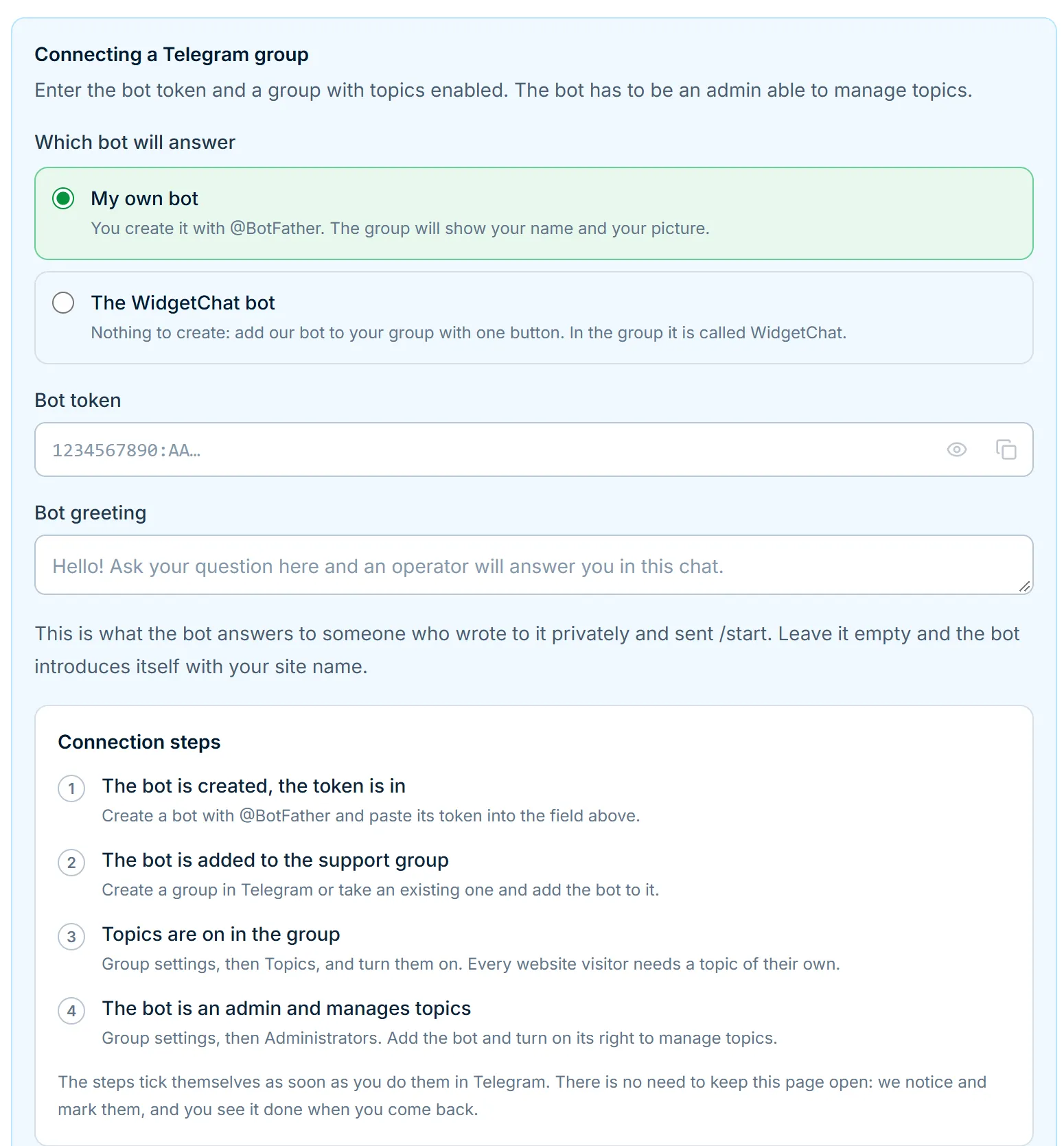
Screenshots of the real chat window and dashboard. Taken on our test site, so the conversation is a test one.
Works with your CRM and your website
The conversation does not stay in a separate window: it arrives where you already work. Ready connections below, each with its own guide.
What the chat window can do
It is a conversation, not a contact form. This is what makes a visitor finish the question instead of closing the tab.
How the chat works
- 1 The visitor writes The chat button sits in the corner: the window opens on top of the site and nobody has to leave the page.
- 2 The question goes to Telegram A separate topic for this visitor appears in your support group, with a notification.
- 3 Someone on the team answers The reply from that topic shows up in the chat window within seconds, with no page reload.
- 4 The conversation is kept The person came back a week later in the same browser, and the history is there.
Why replies are written from Telegram
A usual live chat asks you to keep a separate agent panel open, and while nobody has it open, the visitor waits. A small team almost never has that panel open, but Telegram is always open. So messages arrive there, every visitor gets their own topic, and the reply comes back into the chat window on the site.
What the visitor gets
A conversation, not a form: attach a file, take a screenshot and mark what is wrong on it, dictate instead of typing (dictation recognises Russian). The history is kept in the browser, so a person who comes back a week later continues from the same place. On a phone the window takes up almost the whole screen; on a desktop it can be moved and resized.
How it differs from other website chats
Only what works today. On the left is how a usual live chat is built, on the right is how it works here.
More about what the chat can do
Frequently asked questions
How much does the chat cost?
Nothing: WidgetChat is free, and there are no limits on sites, conversations or agents. Prices of other services with the date we checked them are on the pricing page.
Do I need a developer to add the chat?
No. The dashboard gives you one line of code to paste into the site template before the closing body tag. If a contractor looks after the site, the dashboard also prepares a task you can forward.
Do agents need a separate app?
No. Replies are written from ordinary Telegram, on a phone or a computer. Every visitor gets their own topic in your group, so conversations never mix.
What if nobody answers right away?
The message waits in the topic. The visitor sees the reply the next time they open the site in the same browser, and hears a sound if the tab is still open.
Does it work on phones?
Yes. On a phone the window takes up almost the whole screen and uses the system pickers for files, photos and video.
Where can I answer visitors from?
Visitors write from the chat window on your site. You answer from the Telegram topic, a Bitrix24 open channel, RetailCRM chats or your own software over the API. All of them see the same conversation.
Is there a chatbot or AI replies?
No. Every message goes straight to a person. There is no flow builder and no AI auto-reply in WidgetChat.
Updated