Website chat in RetailCRM
A question a visitor writes in the chat window on your site arrives in the RetailCRM chats as a separate dialog. The manager answers from the same place where they handle orders, and the reply appears on the site. The setup needs the CRM address and an API key.
Updated
What the manager sees
- 1 The visitor writes in the chat window on the site An ordinary question in the chat, no form and no phone number.
- 2 The message appears in the RetailCRM chats As a separate dialog with the visitor's whole exchange. An anonymous visitor has no name, a placeholder stands in for it.
- 3 The manager answers from the CRM From the same window where they handle orders. No separate agent panel is needed.
- 4 The reply comes back into the chat window Within seconds and without a page reload. The visitor sees it where they asked.
What is carried into the CRM
- Text and files The visitor's messages, documents and images arrive in the CRM dialog as attachments. The CRM channel takes one attachment per message: if the visitor sends several files at once, the first one reaches the CRM, and all of them are visible in Telegram and through the API.
- A reply with a file The manager answers with a file from the CRM, and the visitor gets it in the chat window on the site.
- Edits and deletions by the visitor When the visitor edits or deletes their message, it changes in the CRM too. Edits and deletions of the manager's reply in the CRM do not reach the visitor, so check the reply before sending it.
The CRM and Telegram work together
RetailCRM becomes a second place to answer from, not a separate channel. The message still comes from the chat window on the site, and it can be answered from Telegram or from the CRM. Both sides see the reply, and the visitor receives it once.
So connecting the CRM breaks nothing: the team used to Telegram stays in Telegram, and the orders manager answers from RetailCRM.
What the setup takes
- 1 Enable the Message Gateway integration in RetailCRM It is a built-in CRM feature and needs no separate purchase.
- 2 Create an API key in the CRM With the right to manage integration modules. The key is needed once, during the setup.
- 3 Enter the CRM address and the key in the WidgetChat dashboard The site card, the Integrations section. The module and the channel in the CRM are created on their own.
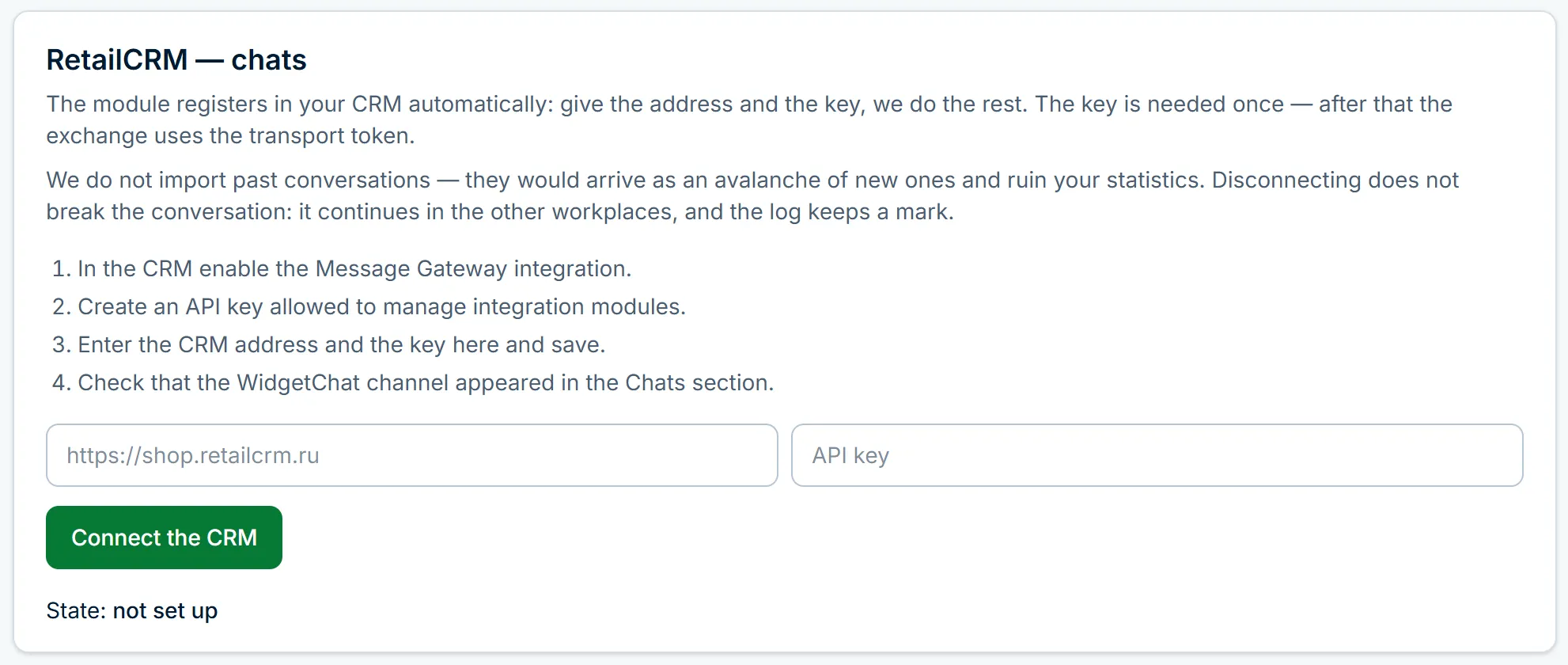
The API key is stored closed and never shown in dashboard responses. The further exchange uses a separate token the CRM issues to us when the module is registered.
What this connection does not do
Orders and products are not created from the CRM chat: the connection carries the conversation, it does not make the sale for the manager.
Quotes and read marks are not shown in the CRM chat. Whether the visitor has read a reply is visible in Telegram: the operator's message gets a 👀 mark.
Frequently asked questions
Do I need a developer to connect RetailCRM?
No. In the CRM you enable the Message Gateway integration and create an API key, and in the WidgetChat dashboard you enter the CRM address and that key. The module and the channel are created automatically.
Are Telegram replies visible in RetailCRM?
Yes. A reply written in Telegram appears in the CRM dialog and the other way round. The visitor receives the reply once, wherever it was written.
What does the manager see in the customer card?
The dialog with the website visitor and their exchange. An anonymous visitor arrives with a placeholder name.
Does it work with several sites?
Yes, a connection belongs to one site. A neighbouring site's conversations do not land in this CRM.
Read next
Add the chat to your website
Sign up with email or Telegram, set it up in the dashboard, paste one line of code. Free.