

Website chat answered from Telegram
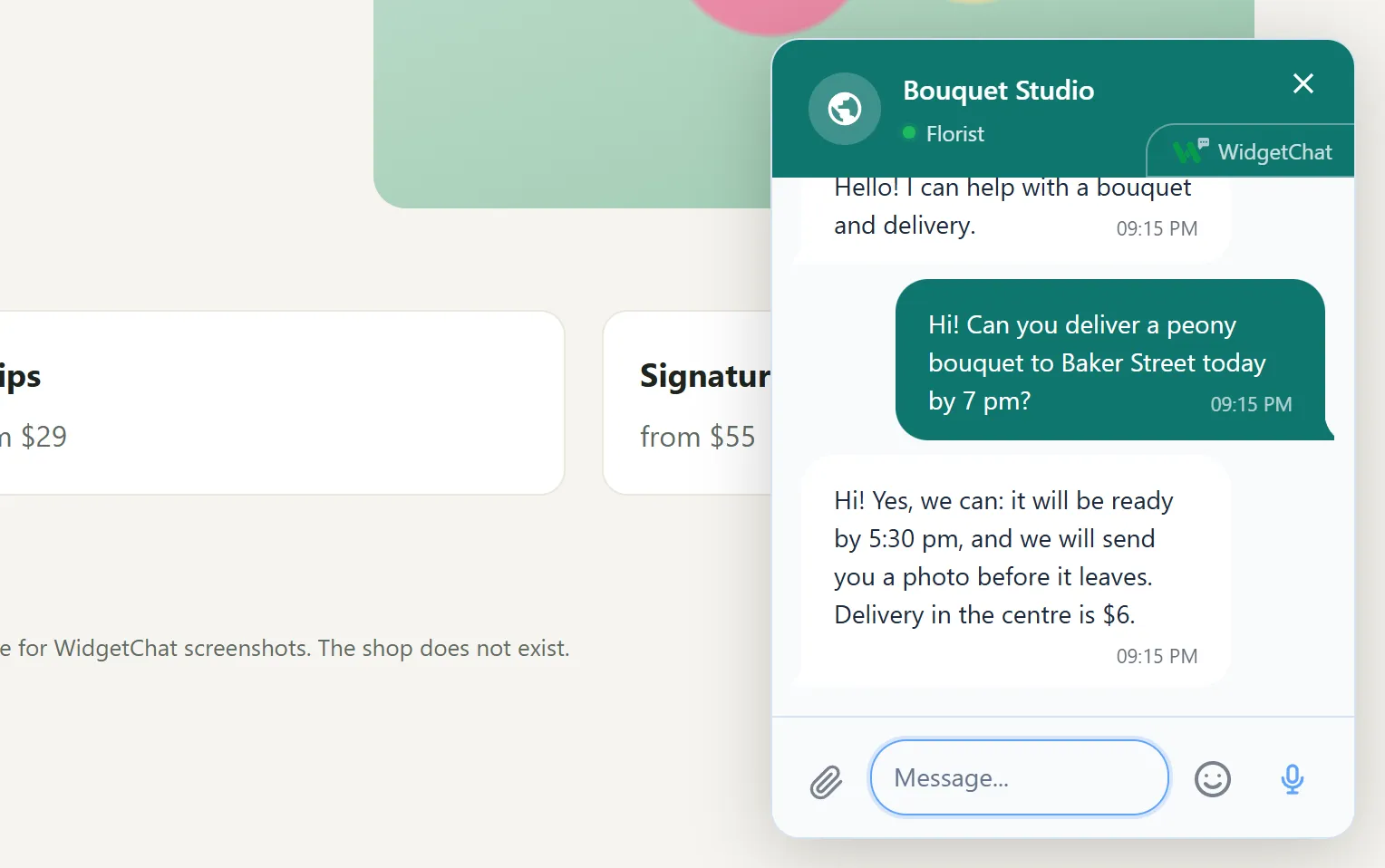
A visitor writes in the chat window on your site, and the question lands in your Telegram group as a separate topic. You answer in that topic, and within seconds the reply appears in the visitor's window. You do not even have to create a bot: ours will do.
Updated
How it works
- 1 The visitor writes in the chat The button sits in the corner of the page. The window opens on top of the site, nobody has to leave the page.
- 2 A topic appears in your group One topic per visitor, named after your site and the conversation number. Every message mentions the group admins (up to five people), so the notification arrives even if you muted the group.
- 3 You answer in the topic Write as usual. Bold text, links and spoilers reach the visitor as they are.
- 4 The reply appears in the chat window Within seconds and without a page reload. When the visitor has read it, your message in the topic gets a 👀 mark.
How to connect the group
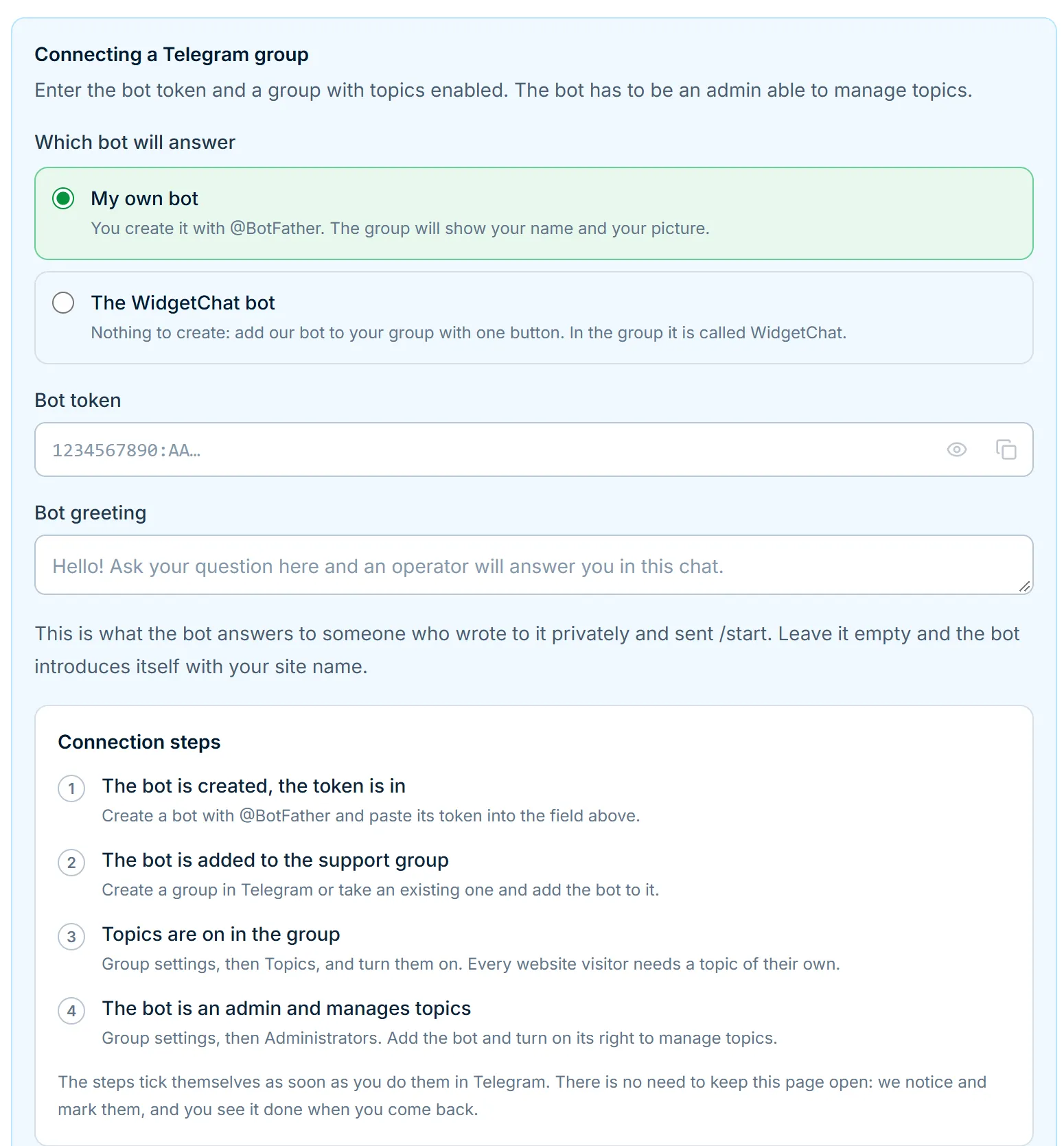
You need an ordinary Telegram group with topics turned on. Topics are switched on in the group settings, for free, in any group.
The bot that opens the topics comes in two kinds. Our WidgetChat bot joins your group with one button from the dashboard, already with the right to manage topics, and you create nothing. Your own bot is made in BotFather: then a bot with your name and picture answers in the group, and you paste its token into the dashboard. The token is stored encrypted and never sent back to the browser.
- 1 Create a group and turn on topics If you already have a support group, just turn topics on there.
- 2 Add the bot as an admin Ours with one button from the dashboard, or your own from BotFather. The bot needs the right to manage topics, otherwise it cannot open a topic per visitor.
- 3 Wait for the green mark The dashboard notices the bot in the group by itself. If something is missing it names the reason: the bot is not in the group, topics are off, or the bot is not an admin with the right to manage topics.
Why a topic per visitor
When every message falls into one chat, an hour later nobody can tell who a reply is for: three people's messages are interleaved. A topic per visitor solves that without any panel. Telegram itself lists the open conversations, and inside a topic you see this person's whole history.
A topic lives as long as the conversation. The visitor comes back a week later in the same browser, and their message lands in the same topic as the previous exchange.
What reaches the topic and what reaches the visitor
- Files from the visitor Photos, videos, screenshots and documents (PDF, Word, Excel, ZIP, TXT, CSV) up to 50 MB each.
- Annotated screenshots On a desktop the visitor captures the page right from the chat, crops the part that matters and draws an arrow or a frame on it.
- Voice as text The visitor dictates in Russian, up to a minute at a time; the recording is transcribed on our server and not kept. The text lands in the input field, the visitor can correct it, and the topic receives the finished text.
- Your reply with a picture A photo sent to the topic the usual way reaches the visitor's window. Documents, videos, voice notes and a photo sent as a file do not: the visitor sees a note with the file name instead. Stickers and GIFs do not arrive at all.
- Edits and quotes Edit your reply in Telegram and it changes for the visitor. The visitor can edit their message within a day or delete it, and the topic shows both. A reply to a specific phrase is visible as a quote on both sides.
Who can answer
Group admins answer. A message from an ordinary member does not go to the visitor, and the bot explains why right in the topic. So a stray remark from someone added just to watch never reaches a customer.
Make as many admins as you have people in support. There is no per-agent fee: the service is free and we do not count seats.
How it differs from other chats answered from Telegram
Others let you answer website visitors from Telegram too: TGLiveChat opens a topic per visitor on its paid plan, and Intergram has you answer from a private chat with a bot.
Where we differ: WidgetChat works on any site, besides Telegram you can answer from Bitrix24, RetailCRM or your own software over the API, and visitors send annotated screenshots and dictate. Prices and terms of each service, with the date we checked them, are on the comparison page.
Frequently asked questions
Do I need Telegram Premium or a business account?
No. An ordinary free Telegram and a group with topics turned on are enough.
Can several sites share one group?
No, every site has its own group. That way messages from different sites never mix, and you see where a person came from before you open the topic.
Can I see which page the visitor wrote from?
No. The topic name holds the site name and the conversation number; the widget does not send the page address.
What if nobody answers right away?
The message waits in the topic. The visitor sees the reply the next time they open the site in the same browser, and if the tab is still open they hear a sound and see the unread count on the tab.
Can I answer from a private chat with the bot?
No, only from the topic in the group. That way a reply always lands in the right conversation.
How much does it cost?
Nothing: the whole service is free. Details are on the pricing page.
Read next
Add the chat to your website
Sign up with email or Telegram, set it up in the dashboard, paste one line of code. Free.